


Schema markup is structured data, usually written in JSON-LD, that tells search engines and AI systems exactly what a page is about: your business, a service, an article and its author, a product, an FAQ. It does not guarantee rich results, but it removes guesswork, and guesswork is what keeps businesses out of answers.
The eight types worth adding
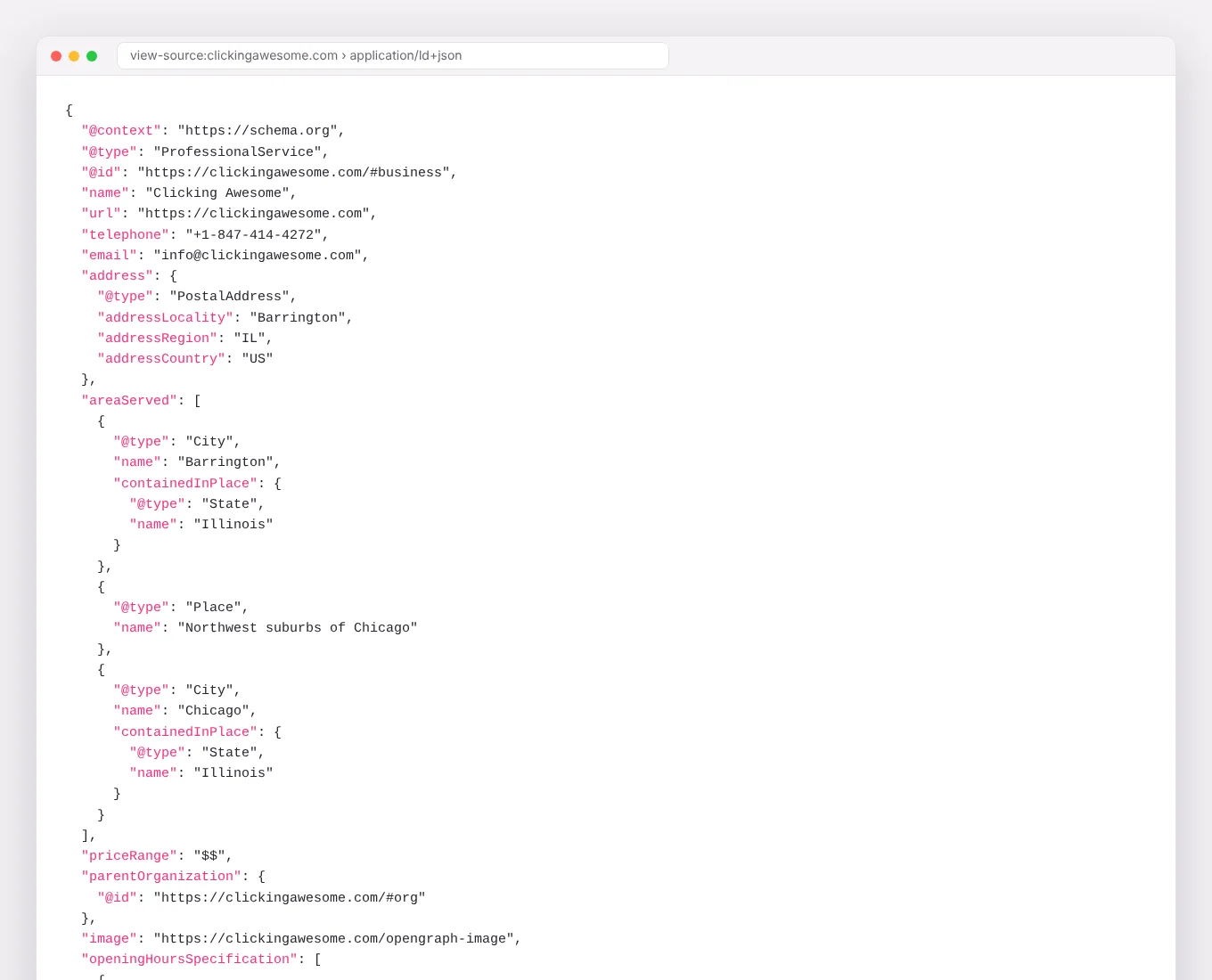
- Organization (or LocalBusiness / ProfessionalService): name, logo, phone, address, hours, founders and sameAs links to your official profiles.
- WebSite: on the home page, with your name and URL.
- Service: on each service page, with a description, area served and published prices as Offers where you have them.
- Article or BlogPosting: on every post, with a real author, publish date and modified date.
- Person: on author and team pages, with job title, credentials, and sameAs links to LinkedIn and personal sites.
- FAQPage: on pages that genuinely answer several questions.
- BreadcrumbList: on every page below the home page.
- Product and Review data where you sell products and display real reviews, following Google’s rules for each.
| Schema type | Put it on | Why it matters |
|---|---|---|
| Organization / LocalBusiness | Home page (site-wide is fine) | Ties your name, logo, address, phone and profiles into one entity |
| Service | Each service page | States what you offer, where and, ideally, the price |
| Product | Product pages | Price, availability and reviews in shopping results |
| Article | Blog posts and guides | Links content to a named author and a publish date |
| Person | Author and team pages | Builds the author credibility answer engines look for |
| FAQPage | Pages with visible Q&A | Hands engines clean question and answer pairs |
| BreadcrumbList | Every page below the home page | Shows how the site fits together |
| Review / AggregateRating | Product pages, sometimes services | Only for reviews you collected on your own site |
Where it matters most for AI search
Answer engines need to connect your business to your people, your services and your facts. Person markup linked from Article markup, and Organization markup that lists founders and official profiles, builds that graph. It is one of the clearest E-E-A-T signals you can send.
Common mistakes
- Marking up content that is not on the page. Schema must describe what visitors can see.
- Self-serving review stars on your own LocalBusiness markup, which Google does not show and may treat as spam.
- Plugins that add conflicting schema twice. Check the page source.
- Fake or generic authors on articles.
- Never validating. Use Google’s Rich Results Test and the Schema.org validator after every change.
Frequently asked questions
Do I need a developer to add schema?
Not always. Many CMS plugins handle the basics. Custom types like Service with Offers, or Person graphs linked to articles, usually need a developer or a template change.
Will schema improve my rankings?
Not directly. It improves how well engines understand and present your pages, which can raise clicks and citations.
Does WordPress handle schema for me?
SEO plugins add the basics: Organization, Article, BreadcrumbList. They usually miss Service, Person with real credentials and accurate FAQPage markup, and they often output conflicting entities. Check the output with the Rich Results Test rather than trusting the settings screen.
Every site we build ships with Organization, Service, Article, Person, FAQ and Breadcrumb markup by default.