

Insights / Social Media
How to Build a 90-Day Social Media Content Calendar
A content calendar turns social media from a daily scramble into a weekly routine. A step-by-step way to plan 90 days in an afternoon.
By Nicole Irmo · November 14, 2026 · 3 min read

A 90-day content calendar is a simple plan of what you will post, where and when for the next quarter, built around your business goals, seasonal moments and a few repeatable content types. It takes an afternoon to draft and saves hours every week, because the hardest part of social media is deciding what to say.
Step 1: Start with the business calendar
- Launches, promotions and busy seasons for the quarter.
- Holidays and industry events that matter to your customers.
- Company moments: anniversaries, new hires, awards, community events.
Step 2: Choose your weekly pattern
Assign each content type to a day so planning becomes fill-in-the-blank. For example: Monday expertise, Wednesday proof, Friday people, with offers placed around the business calendar.
| Day | Content type | Example |
|---|---|---|
| Monday | Tip or how-to | Three ways to prep your lawn for spring |
| Tuesday | Behind the scenes | The crew loading the truck at 6 a.m. |
| Wednesday | Proof | A customer review with a photo of the job |
| Thursday | Story | Why the founder started the business |
| Friday | Offer or community | Spring booking open, or a local event shout-out |
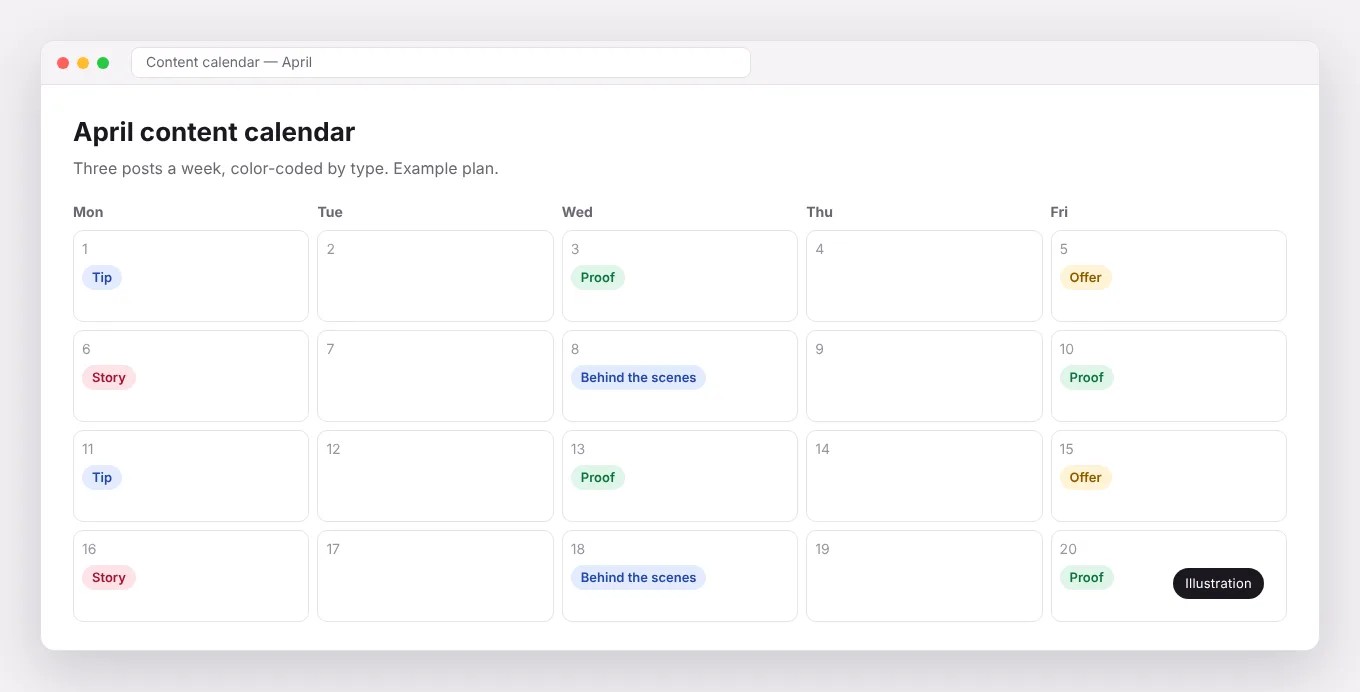
Step 3: Fill the slots
- List every question customers asked last quarter; each is a post.
- Collect photos and stories from recent work.
- Pull quotes from reviews.
- Repurpose one strong blog post or video into several posts.
Step 4: Batch and schedule
Write captions and gather visuals in batches, then schedule them in a tool such as Buffer, Sprout Social or Meta Business Suite. Leave a few open slots each week for timely posts.
Step 5: Review monthly
Check which posts drove engagement, messages and visits. Do more of what worked in the next month’s slots.
Frequently asked questions
What should a content calendar include?
Date, platform, content type, caption, visual, link, call to action and status.
Should every post sell something?
No. Most posts should build trust and interest. A smaller share should ask for action.
Content calendars, creation and scheduling are included in our social media management.